An anchor allows a control to be 'Anchored' to a specific border of the window the control is placed in.
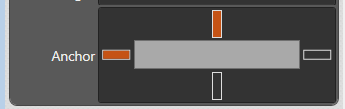
The Anchor control is available in the Layout property section on all controls that can be placed on the window and appears as below;
Each of the four vertical bars on the border can be selected to lock the control position relative to that border. In the example above this control is anchored relative to the top and left window border. When the window it contains is resized this control will always be anchored to these borders.
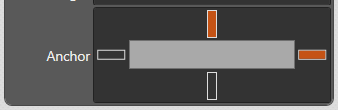
In the following example this Anchor setup may be used for a control placed on the Right hand side of the window such that resizing the window always shows this control at the same position relative to the top and right window border.
To have a control (eg. 3D view) stretching to fill the window, select opposite anchors. When the window is resized the control will be stretched.